Tesla Telefonoplader: Pad, Stativ, Trim eller Kabel?
En Tesla telefonoplader kan være mere end en trådløs opladningsplade. Afhængigt af din Tesla-model og telefon kan du oplade din telefon med en indbygget trådløs oplader, opladningskabel, opladningsplade, opladningsstand eller et andet kompatibelt opladningstilbehør.
Tesla-køretøjer tilbyder allerede indbyggede opladningsmuligheder på mange modeller. For eksempel beskriver Teslas Model 3 og Model Y manualer integrerede trådløse telefonoplader, der kan levere op til 15W til Qi-aktiverede telefoner, sammen med USB-porte til opladning af enheder.
Dog fungerer indbygget opladning muligvis ikke lige godt for hver telefon eller chauffør. Langsom opladning, varme, dårlig justering og kompatibilitet med telefoncovers kan alle påvirke oplevelsen. Den rigtige Tesla telefonoplader afhænger af, hvordan du bruger din telefon, din Tesla-model og år, og om du foretrækker trådløs eller kablet opladning.
Hvorfor Er Din Tesla Telefonoplader Langsom eller Ikke Oplader?
Trådløs opladning er praktisk, men det afhænger af, at telefonen og opladeren forbliver korrekt justeret og laver den rigtige forbindelse. Tesla bemærker, at en telefon skal være i direkte kontakt med den trådløse oplader, og at store eller metalcovers kan forhindre opladning.
Langsom Trådløs Opladning
Trådløs opladning leverer ikke altid strøm så hurtigt som en kablet forbindelse. Den faktiske opladningshastighed afhænger også af telefonen, opladeren, forbindelsen og opladningsforholdene.
Teslas manualer angiver op til 15W for den integrerede trådløse telefonoplader på visse Model 3 og Model Y konfigurationer. Wireless Power Consortium forklarer også, at Qi trådløs opladning er designet omkring interoperabilitet, sikkerhed og effektiv energioverførsel mellem kompatible enheder.
Hvis din telefon får batteri langsomt, mens du bruger navigation, streaming eller andre strømsultne funktioner, kan et kablet opladningskabel være en bedre mulighed.
Telefon Overophedning
Det er normalt, at en telefon bliver lidt varm under trådløs opladning. Tesla bemærker specifikt, at en telefon kan føles varm, mens den oplader, og beskriver dette som en normal effekt af induktiv opladning.
Apple bemærker også, at en iPhone eller MagSafe oplader kan blive varmere under trådløs opladning. Hvis telefonen bliver for varm, kan iOS begrænse opladningen for at beskytte batteriet.
Hvis varme er en bekymring, skal du kontrollere, om telefonen er korrekt placeret, fjerne unødvendige tilbehør mellem telefonen og opladeren, og overveje at bruge et kabel, når du har brug for mere stabil opladning.
Opladning Stopper På Grund Af Dårlig Justering
Justering er især vigtig for trådløs opladning.
Tesla angiver, at telefonen skal være i direkte kontakt med sin trådløse oplader, og at et stort eller metalcover kan forhindre opladning.
Apple giver lignende vejledning til Qi-opladning: iPhone skal placeres i midten af opladningsfladen, så opladningsspolerne justeres korrekt.
Hvis din telefon bevæger sig rundt, mens du kører, kan en opladningsstand eller et korrekt justeret opladningstilbehør fungere bedre end en flad opladningsflade.
Tesla Telefonoplader Muligheder
Der er ikke en enkelt opladningsopsætning, der fungerer bedst for hver Tesla-ejer. De vigtigste muligheder er opladningsplader, stande, trims og kabler.
Trådløs Opladningsplade
En trådløs opladningsplade er den simpleste mulighed, hvis du vil lægge din telefon ned og oplade uden at tilslutte et kabel.
Denne opsætning fungerer godt for chauffører, der allerede holder deres telefon i midterkonsollen og ikke har brug for at se skærmen, mens de oplader.
For eksempel kan en Model 3-kompatibel trådløs opladningsplade være nyttig for ejere, der ønsker en dedikeret opladningsflade. Tesla selv har tilbudt en Model 3 trådløs telefonoplader designet til Qi-kompatible telefoner.
For nyere køretøjer betyder kompatibilitet mere end det generelle produktnavn. En opladningsplade designet til en Model 3 Highland eller Model Y Juniper bør kontrolleres mod det specifikke køretøj før køb.

Trådløs opladningsstand
En trådløs opladningsstand kombinerer opladning med en mere synlig telefonposition.
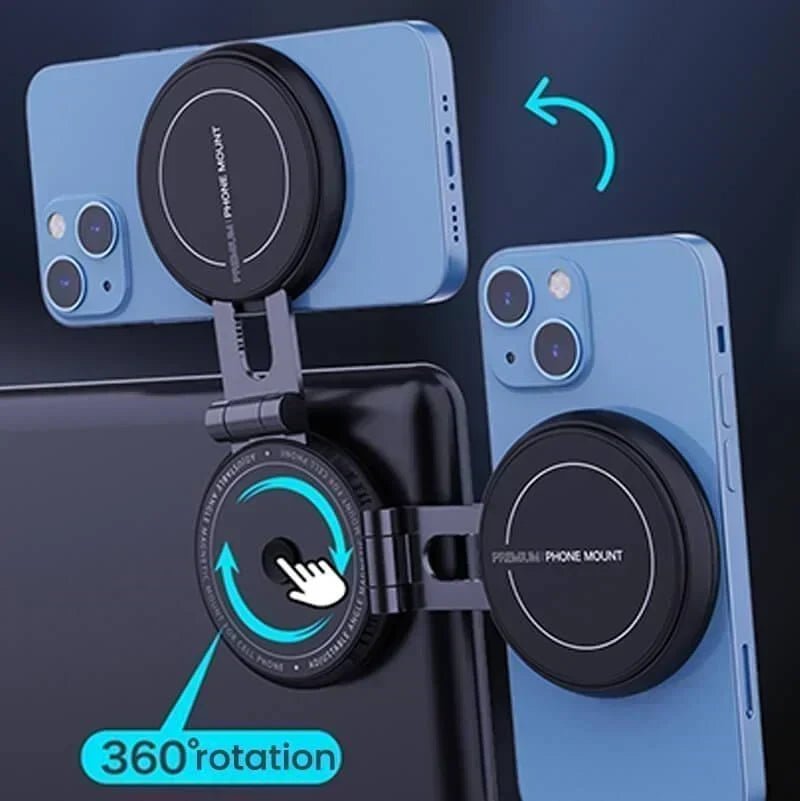
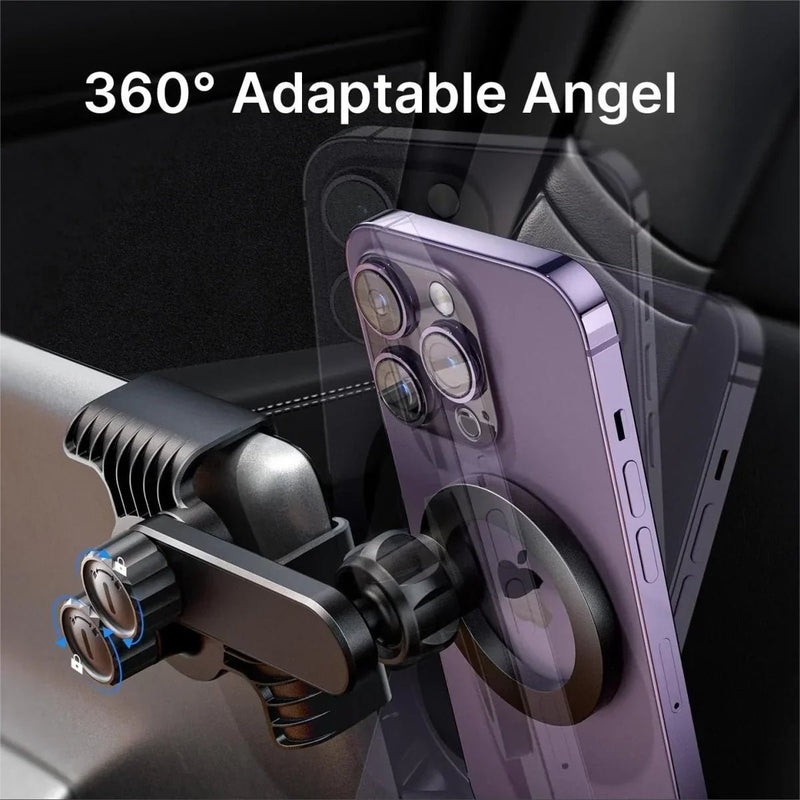
Dette kan være nyttigt, hvis du ofte bruger din telefon til navigation og ønsker at se skærmen, mens den oplades. En 3-i-1 trådløs opladningsstand, for eksempel, kan give en anden opsætning end en flad opladningsplade, samtidig med at den understøtter andre opladningsbehov.
Den største fordel er ikke blot trådløs opladning. Det er at kunne oplade og placere din telefon på samme tid.
Hvis du overvejer, om du har brug for en oplader, en holder eller en opsætning, der kombinerer begge, se vores guide til den bedste Tesla telefonholder.
Trådløs opladningstrim
En trådløs opladningstrim er designet til chauffører, der ønsker at opgradere opladningsområdet, mens de holder interiøret integreret.
Denne type produkt kan give mere mening for en nyere Tesla med et specifikt midterkonsol-design. For eksempel er en midterkonsol trådløs opladningstrim designet til Model Y Juniper en mere målrettet løsning end en generel opladningsplade.
Kontroller altid køretøjets årgang og interiørversion, før du vælger denne type tilbehør.

Opladningskabel
Et opladningskabel er det ligetil valg, når stabil kablet opladning betyder mere end kabel-fri bekvemmelighed.
Teslas manualer anbefaler at bruge USB 3.0-kompatible kabler til USB-tilsluttede enheder og bemærker, at ikke-kompatible kabler kan resultere i langsommere opladning eller forbindelsesproblemer.
Et kompatibelt kabel kan også være nyttigt, når trådløs opladning ikke fungerer godt med et bestemt telefoncover, eller når du har brug for en direkte forbindelse.

Tesla Telefonoplader Kompatibilitet efter Model
Din Tesla-model og modelår er vigtige, når du vælger en oplader. Opladningsudstyr er ikke altid udskifteligt på tværs af forskellige interiører.
Tesla Model 3
Model 3 har USB-opladning og, på udstyrede køretøjer, en integreret trådløs telefonoplader. Teslas nuværende manualer beskriver trådløs opladning for Qi-aktiverede telefoner og USB-opladning gennem midterkonsolportene.
Tesla Model Y
Model Y tilbyder også USB-opladning og integreret trådløs telefonoplader på udstyrede versioner. Teslas dokumentation angiver trådløs opladning for Qi-aktiverede telefoner og USB-porte til opladning af enheder.
Model 3 Highland og Model Y Juniper
Nyere Model 3 og Model Y interiører har forskellige midterkonsoldesigns fra tidligere versioner. Dette gør årsspecifik kompatibilitet særligt vigtig.
En opladningspude designet til en Model 3 Highland eller en trådløs opladningstrim designet til Model Y Juniper skal matches til det korrekte interiør i stedet for kun at blive valgt, fordi produktnavnet siger "Model 3" eller "Model Y."
Model S, Model X og Cybertruck
Opladningsmuligheder kan variere afhængigt af køretøjets generation og interiørdesign. Hvis du kører en Model S, Model X eller Cybertruck, skal du tjekke produktets angivne kompatibilitet, før du vælger en trådløs pude, stativ eller kabel.
Tesla Trådløs Oplader til iPhone: Hvad skal du tjekke
iPhone-brugere har flere trådløse opladningsmuligheder, men kompatibilitet er stadig vigtig.
Trådløs Opladningskompatibilitet
iPhone 8 og senere modeller understøtter Qi trådløs opladning, og Apple anbefaler Qi-certificerede opladere til kompatible iPhones.
Wireless Power Consortium opretholder en database over Qi-certificerede produkter, der er blevet testet for sikkerhed og interoperabilitet.
Telefonetui og Opladningsjustering
Et tykt etui, metaldele eller andre genstande mellem telefonen og opladeren kan forstyrre trådløs opladning. Tesla advarer specifikt om, at store eller metaletui kan forhindre, at dens trådløse oplader fungerer korrekt.
Hvis opladningen er inkonsekvent, så prøv at oplade telefonen uden etuiet eller repositionere den på opladningsfladen.
MagSafe Kompatibilitet
MagSafe bruger magnetisk justering til at hjælpe med at placere understøttede iPhones korrekt på kompatible opladere. Apple forklarer, at magneterne hjælper med at justere opladeren med iPhone til trådløs opladning.
Dog bør MagSafe-kompatibilitet ikke antages for hver Tesla trådløs oplader. Tjek specifikationerne for opladeren og din telefon, før du vælger et magnetisk opladningssetup.
Hvilken Tesla Telefonoplader Skal Du Vælge?
Den bedste mulighed afhænger af, hvordan du bruger din telefon i bilen.
|
Din prioritet |
Anbefalet mulighed |
|
Enkel trådløs opladning |
Opladningspude |
|
Oplad mens du ser på din telefon |
Opladningsstand |
|
Opgrader midterkonsollen |
Opladningstrim |
|
Stabil kablet opladning |
Opladningskabel |
Hvis du for det meste lægger din telefon væk, mens du kører, kan en opladningsplade være tilstrækkelig. Hvis du bruger navigation og ønsker, at skærmen skal være synlig, kan en opladningsstand give mere mening. Hvis du ønsker at opdatere udseendet eller funktionen af et specifikt opladningsområde, er en kompatibel opladningstrim et andet valg.
For den mest direkte og forudsigelige forbindelse forbliver en opladningskabel et praktisk valg.
Hvad skal du tjekke, før du køber en Tesla telefonoplader
Tesla-model og år
Tjek først den nøjagtige model og produktionsår. Opladningsområder og stik kan ændre sig mellem bilgenerationer.
Telefonkompatibilitet
For trådløs opladning skal du bekræfte, at din telefon understøtter en kompatibel opladningsstandard. Qi er den primære trådløse opladningsstandard, der understøttes af en bred vifte af smartphones.
Opladningshastighed
Vælg ikke en oplader kun baseret på dens annoncerede maksimale watt. Din telefon, oplader, forbindelse og opladningsforhold påvirker alle den faktiske opladningshastighed.
Installation og forbindelse
Endelig skal du tjekke, hvordan opladeren får strøm, og om den kræver installation eller en specifik USB-forbindelse. Tesla bemærker, at ikke-kompatible USB-kabler kan forårsage langsommere opladning eller forbindelsesproblemer.
En god Tesla telefonoplader skal passe til både dit køretøj og den måde, du faktisk bruger din telefon på. Hvis du ønsker den enkleste opsætning, kan en trådløs plade være tilstrækkelig. Hvis du vil holde din telefon synlig, mens den oplades, kan en opladningsstand være et godt valg. Hvis du også har brug for et sikkert sted at placere din telefon, mens du kører, kan du udforske vores telefonholder muligheder til Tesla. For en specifik konsolopgradering, skal du se efter en trim, der er kompatibel med model og år. Og når pålidelighed er prioriteten, er et kablet kabel stadig en simpel løsning.
Læs mere: Sådan oplader du din telefon i en Tesla
H2: Tesla telefonoplader FAQs
Har Tesla en indbygget telefonoplader?
Mange Tesla-modeller har en indbygget trådløs telefonoplader til Qi-kompatible telefoner. Model 3 og Model Y giver også USB-porte til kablet opladning. Tilgængelighed og opladningskraft kan variere afhængigt af model, år og konfiguration.
Hvorfor bliver min Tesla trådløse oplader varm?
Nogle varme er normalt under trådløs opladning, fordi strømmen overføres gennem induktion. Tesla bemærker , at en telefon kan føles varm under opladning. Overdreven varme kan påvirke opladningsydelsen, så tjek telefonens placering, fjern metalgenstande, og lad telefonen køle af, hvis det er nødvendigt.
Kan jeg oplade min telefon i en Tesla Model 3?
Ja. Afhængigt af Model 3-versionen kan du oplade din telefon ved hjælp af den indbyggede trådløse oplader eller USB-porte. Qi-kompatible telefoner kan bruge trådløs opladning, mens et kompatibelt USB-kabel giver en kablet mulighed.
Kan jeg bruge en iPhone med en Tesla trådløs oplader?
Ja. Kompatible iPhones kan oplades trådløst ved hjælp af Qi-opladere. Teslas Model 3 trådløse oplader understøtter for eksempel iPhone 8 og senere. Tjek din iPhone-model, etui og opladerkompatibilitet for pålidelig opladning.
Hvad er den bedste Tesla telefonoplader til Model 3?
Den rigtige Tesla telefonoplader afhænger af dine behov. En trådløs opladningsplade er velegnet til simpel kabel-fri opladning, mens en opladerstand kan holde din telefon synlig. Et kompatibelt opladerkabel er en praktisk mulighed, når du foretrækker kablet opladning.
Hvad er den bedste Tesla telefonoplader til Model Y?
Til Model Y skal du vælge baseret på dit køretøjs årgang, telefon og opladningspræference. En trådløs plade fungerer godt til simpel opladning, mens en kompatibel stand, trim eller kabel måske bedre passer til forskellige opsætninger. Bekræft altid model-års kompatibilitet, før du køber.