Jak postavit mobilní pracovní prostor Tesla s V2L napájením
Jste unaveni z práce v hlučných kavárnách nebo být připoutáni k tradičnímu kanceláři? S nárůstem práce na dálku a vývojem elektrických vozidel (EV) se sen o skutečně off-grid mobilním pracovním prostoru stal realitou.
Zatímco některé modely Tesla, jako je Cybertruck, nabízejí vestavěné elektrické zásuvky, většina majitelů Tesly stále potřebuje spolehlivé řešení pro odemknutí externího výkonu. Adaptér Tesla V2L může proměnit baterii vašeho vozidla na přenosný zdroj energie pro notebooky, monitory, Starlink a další pracovní vybavení. Ať už jste digitální nomád, inženýr na místě nebo cestující kreativní pracovník, tento průvodce vám ukáže, jak přesně vybudovat bezproblémový mobilní pracovní prostor poháněný výhradně vaší Teslou.
Co je Tesla V2L a Jak Napájí Váš Pracovní Prostor?
Po léta znamenalo pracovat z auta vybití malého 12V olověného akumulátoru nebo neustálé běžení hlučného benzínového motoru. Řešení Tesla V2L umožňují majitelům přístup k energii uložené v baterii vozidla a převádějí ji na použitelný AC výkon pro externí zařízení.
Možnosti Tesla V2L pro Různé Modely
V závislosti na tom, který model Tesly vlastníte, funguje přístup k V2L výkonu několika způsoby:
-
Tesla Cybertruck: Cybertruck zahrnuje vestavěné elektrické zásuvky prostřednictvím funkcí Tesla Powershare. Nicméně, majitelé Modelu 3, Modelu Y, Modelu S a Modelu X obvykle potřebují externí V2L řešení pro přístup k podobné funkčnosti.
-
Model 3, Model S, Model X a Starší Modely Y: Pokud vaše vozidlo nemá nativní V2L povolené Teslou, můžete použít bezpečné, certifikované adaptéry pro vybíjení NACS V2L třetích stran. Tyto se připojují přímo do vašeho nabíjecího portu a poskytují výkon mezi 2,0 kW a 3,6 kW standardního AC výkonu.
Tato úroveň výkonu je dostatečná pro běžné mobilní kancelářské vybavení, jako jsou notebooky, monitory, směrovače a další zařízení s nízkým až středním výkonem.
Čtěte více: Kompatibilita Tesla V2L: Model Y, Cybertruck, Model 3/S/X Vysvětleno
Pro koho je Mobilní Pracovní Prostor Tesla?
Mobilní pracovní prostor není jen novinkou; je to vysoce funkční nástroj pro několik profesionálů:
-
Digitální Nomádi & Freelanceři: Pracujte z malebných pobřeží, národních parků nebo horských vyhlídek, aniž byste se museli obávat veřejného Wi-Fi nebo procent baterie.
-
Terénní Inženýři & Geodeti: Spouštějte diagnostické počítače, nabíjejte elektrické nářadí a tiskněte dokumenty přímo z pracovního místa.
-
Fotografové & Kameramani: Přenášejte 4K záběry z dronů na notebook s desktopovou kvalitou a nabíjejte filmové baterie na místě.
-
Realitní & Prodejní Agenti: Vytvořte tichý, klimatizovaný, profesionální prostor mezi schůzkami s klienty pro psaní smluv a telefonování.
Krok za Krokem: Nastavení Vaší Mobilní Kanceláře Tesla V2L
Vytvoření profesionálního pracovního prostoru vyžaduje více než jen notebook na klíně. Zde je návod, jak vybudovat praktické, ergonomické a vysoce efektivní nastavení.
1. Zajištění Napájení (Připojení V2L)
Nejprve zajistěte svůj zdroj energie.
-
Pokud používáte Cybertruck nebo podporovaný Model Y, jednoduše připojte své zařízení k vestavěným zásuvkám nebo zapněte svůj oficiální adaptér Tesla.
-
Pokud používáte starší modely, připojte svůj kompatibilní adaptér V2L do externího nabíjecího portu vozidla.
-
Spusťte těžkou, přepěťovou ochranu z adaptéru/zásuvky do kabiny.
2. Ergonomie a Nastavení Stolu
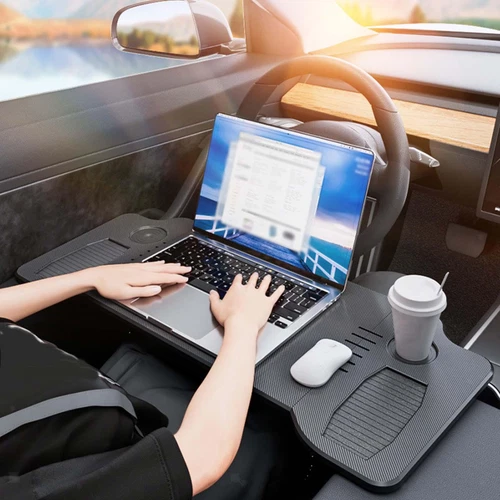
Práce shrbená nad volantem zničí vaši posturu. Investujte do ergonomických vylepšení:
-
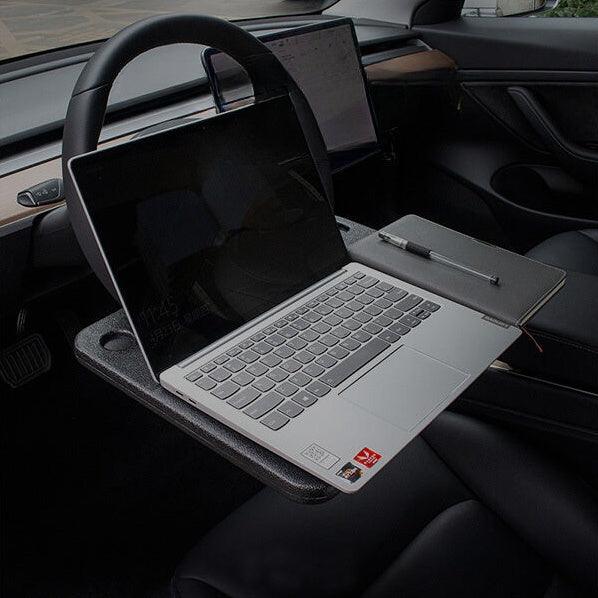
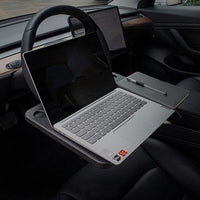
Stoly na volant: Na míru vyrobené dřevěné nebo uhlíkové tray se zavěsí na volant a vytvoří stabilní stůl pro váš notebook a myš.
-
Skládací stoly na zadních sedadlech: Pokud preferujete více prostoru, přesuňte se na zadní sedadlo a použijte skládací tray, který se montuje na opěrky předních sedadel.
-
Stojany na notebooky: Zvedněte obrazovku do úrovně očí a použijte bezdrátovou klávesnici a myš.
3. Rychlé internetové připojení
Pracovní prostor je dobrý jen tolik, kolik je jeho internet.
-
Starlink Mini: Ideální pro vzdálené nomády. Může být napájen přímo přes vaše výstupy V2L v Tesle a namontován na skleněnou střechu nebo do kufru.
-
5G mobilní hotspoty: Ideální pro městské prostředí, v kombinaci se zesilovačem signálu.
4. Řízení klimatu a prostředí
Jednou z největších výhod Tesly je Camp Mode.
-
Camp Mode udržuje kabinu na vaší ideální teplotě (klimatizace nebo topení) a udržuje vaše USB porty aktivní, aniž by vypnul vozidlo.
-
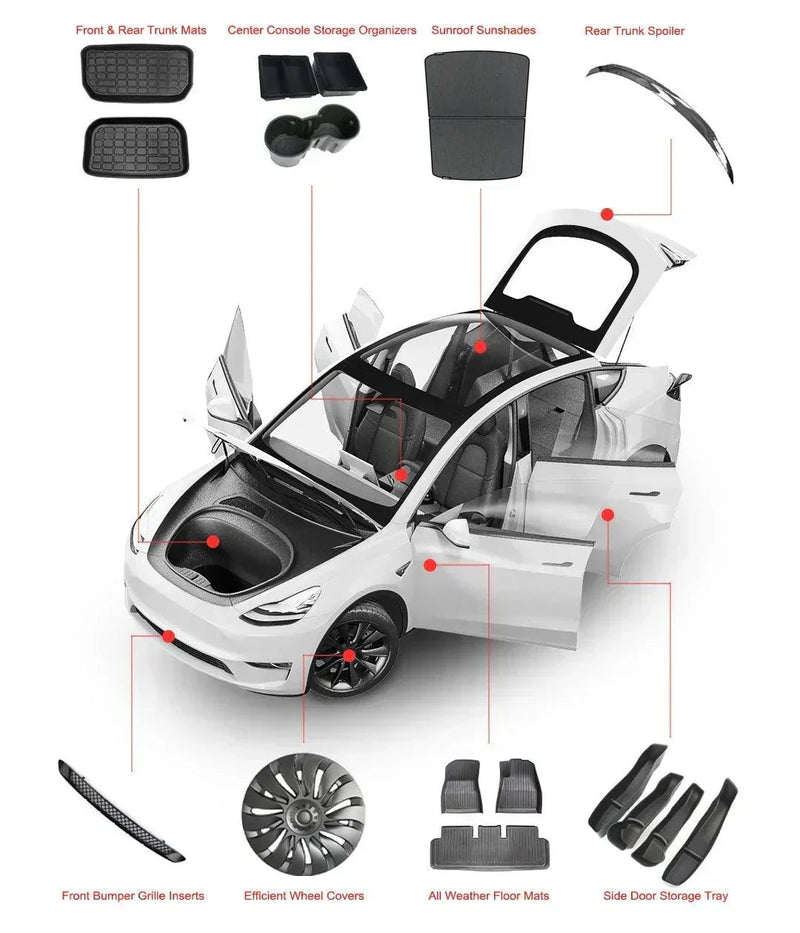
Ochranné obrazovky: Na míru vyrobené síťové nebo zatemňovací sluneční clony pro boční a střešní sklo zabraňují oslnění obrazovky a chrání před zvědavými pohledy během videohovorů.
Čtěte více: Jak používat adaptér Teslaunch V2L: Kompletní průvodce nastavením, používáním a údržbou
Seznam vybavení pro mobilní pracovní prostor
Zde je rychlý pohled na vybavení, které můžete bez námahy používat s podporou Tesla V2L:
| Kategorie vybavení | Položka | Průměrný výkon | Kompatibilita V2L |
| Výpočetní technika | MacBook Pro / Notebook | 60W - 100W | ✅ Bez námahy |
| Displej | Přenosný monitor 15,6" | 15W - 30W | ✅ Bez námahy |
| Síť | Starlink Mini / Router | 25W - 50W | ✅ Bez námahy |
| Pohodlí | Chladící podložka na notebook a LED stolní lampa | 15W | ✅ Bez námahy |
| Spotřebiče | Přenosná cestovní konvice / Espresso kávovar | 800W - 1500W | ✅ Podporováno |
| Klimatizace | Režim kempování Tesla (vnitřní HVAC) | Sdílená baterie vozidla | ✅ Nativní |
Přeměňte svou Teslu na mobilní energetickou stanici
Jste připraveni vybudovat si mobilní pracovní prostor Tesla? T-Launch Tesla V2L adaptér poskytuje pohodlný způsob, jak získat AC energii z baterie vašeho vozidla pro kempování, práci na dálku a venkovní dobrodružství.
Číst více: Tesla V2L průvodce: Jak ho používat pro kempování, nouzové situace a každodenní život
Často kladené otázky
Odebere V2L dojezd mé Tesly?
Krátká odpověď je ne. Standardní nastavení notebooku spotřebovává asi 100 wattů. Pokud pracujete po dobu 8 hodin, spotřebujete méně než 1 kWh energie. Vzhledem k tomu, že Model Y má kapacitu baterie kolem 75 kWh až 81 kWh, celodenní práce využívá přibližně 1% až 2% vašeho dojezdu. Hlavní spotřebiče, jako jsou rychlovarné konvice, spotřebovávají více energie, ale pouze na několik minut najednou.
Je V2L bezpečný pro baterii mé Tesly?
Ano. Adaptéry Tesla a ověřené třetí strany fungují v rámci přísných bezpečnostních limitů systému správy baterií (BMS) vozidla. Moderní V2L výstupní adaptéry mají automatizované ochrany proti nízkému stavu baterie, které se automaticky vypnou, pokud klesne baterie Tesly pod 10% až 20%, což zajišťuje, že nikdy nebudete uvězněni.
Poškozuje to citlivou elektroniku?
Kvalitní V2L adaptér je navržen tak, aby poskytoval stabilní AC výstup vhodný pro citlivou elektroniku. To poskytuje čistou, stabilní elektřinu, která je stejně bezpečná—pokud ne bezpečnější—než elektrické zásuvky uvnitř vašeho tradičního domu. Vaše drahé notebooky a fotografické vybavení jsou zcela v bezpečí.
Může moje Tesla Model 3 nebo Model Y používat V2L?
Většina majitelů Tesla Model 3 a Model Y potřebuje kompatibilní Tesla V2L adaptér, aby získala externí AC energii. Adaptér T-Launch je navržen tak, aby pomohl majitelům Tesly používat baterii jejich vozidla jako přenosný zdroj energie.