Best Tesla Phone Mount: Find the Right Mount for Your Tesla
The best Tesla phone mount depends on your Tesla model, model year, phone, and preferred mounting position. A mount that works well for a 2024+ Model 3 Highland may not be the right fit for an older Model 3, and a MagSafe mount may not be the best choice if several people use the car with different phones.
This guide compares Tesla phone mounts by model, generation, mounting type, and everyday use. The goal is simple: help you find a phone mount that fits your Tesla, keeps your phone easy to reach, and does not create unnecessary clutter around the screen or dashboard.

Best Tesla Phone Mounts at a Glance
|
Best For |
What to Look For |
Why It Matters |
|
Best Overall |
Stable, model-specific mount |
Stays in place while keeping the phone easy to reach |
|
Best for Older Model 3/Y |
Mount made for your exact model year |
Avoids poor fit or loose mounting |
|
Best for Highland / Juniper |
Generation-specific mount |
Fits the refreshed interior more securely |
|
Best for a Secure Hold |
Mechanical, clamp, or stable magnetic mount |
Reduces the chance of the phone shifting or falling |
|
Best for Easy Viewing |
Dashboard or screen-area mount |
Keeps the phone visible without blocking your view |
|
Best for Easy Access |
Close-to-driver magnetic or dashboard mount |
Makes the phone easy to grab and dock |
|
Best for MagSafe iPhones |
MagSafe magnetic mount |
Fast one-hand attachment and removal |
|
Best for Different Phones |
Clamp or broad-compatibility mount |
Works better for mixed iPhone and Android use |
|
Best for Charging |
Wireless charging mount |
Lets you mount and charge at the same time |
|
Best for a Clean Setup |
Foldaway or low-profile mount |
Keeps the interior less cluttered |
There is no single Tesla phone mount that is perfect for every driver. The right choice starts with your vehicle and then comes down to how you use your phone.
How to Choose the Best Tesla Phone Mount
Check Your Tesla Model and Model Year
The first step is to check your Tesla model and year before choosing a phone mount.
Tesla interiors can change between generations, so a mount that fits one version of a model may not fit another. The 2024+ Model 3 Highland and 2025+ Model Y Juniper, for example, have different interior designs from earlier Model 3 and Model Y vehicles. A mount labeled simply for “Model 3/Y” may not provide the right fit for every generation.
Do not choose a phone mount based only on the Tesla model name. Check the exact model year or generation first.
This can help you avoid a loose fit, a poor viewing angle, or a mount that sits too close to the screen or other controls.
For more detail on fit and installation, see The Ultimate Guide to Choosing and Installing a Phone Mount for Tesla Model 3.
Choose Where You Want to Mount Your Phone
Your preferred mounting position can be just as important as the phone holder itself.
Common options include:
-
Dashboard
-
Screen area
-
Air vent
-
Dash gap
-
Steering-area mounting
A dashboard mount can give you a stable viewing position for navigation. An air vent mount can keep the phone close without adding much hardware to the dashboard. A hidden or low-profile mount may be better if you want to keep the interior looking clean.
Before choosing a location, consider whether the phone will block part of the Tesla touchscreen, interfere with your normal view, or become difficult to reach.
Choose Magnetic, MagSafe, or Clamp
The type of phone attachment also changes the experience.
|
Type |
Best For |
Main Tradeoff |
|
MagSafe |
iPhone users with compatible devices or cases |
Less flexible for some Android phones |
|
Magnetic |
Quick phone attachment and removal |
May require a magnetic ring or compatible case |
|
Clamp |
Different phones and cases |
Usually more visible |
|
Gravity |
Simple everyday use |
Less sleek than magnetic designs |
For iPhone users who already use MagSafe, a magnetic mount is often the easiest setup. You can attach and remove the phone quickly without adjusting a clamp every time.
If the same Tesla is used by people with different phones, a clamp-style mount can make more sense because phone compatibility is less dependent on MagSafe.
Decide If You Need Wireless Charging
A phone mount and a phone charger solve different problems.
If you already use your Tesla's built-in charging area, you may only need a mount. If you rely on your phone for navigation and want it to stay powered while mounted, a wireless charging mount can combine both functions.
Before buying a charging mount, consider whether you actually need charging at the mounting location. A separate mount may be simpler if your phone is already charged or you prefer the Tesla's existing charging setup.
For more information, see our Tesla Phone Charger and How to Charge Your Phone in a Tesla guides. Our Best Wireless Charging Phone Mounts article also covers charging-focused options in more detail.
Best Tesla Phone Mounts by Model
The best Tesla phone mount depends heavily on the vehicle. The same mounting design does not make sense for every Tesla interior, so it is better to start with your model and then choose the mounting style that fits your needs.
Best Phone Mount for Tesla Model 3
The Model 3 has one of the widest ranges of phone mount options because the interior has changed over time. Earlier Model 3 vehicles and the 2024+ Highland should not automatically be treated as the same fit.
For an earlier Model 3, you can choose from dashboard, hidden, magnetic, and other mounting styles. For the Highland, look for a product specifically designed around the newer interior.
Best Overall for Model 3
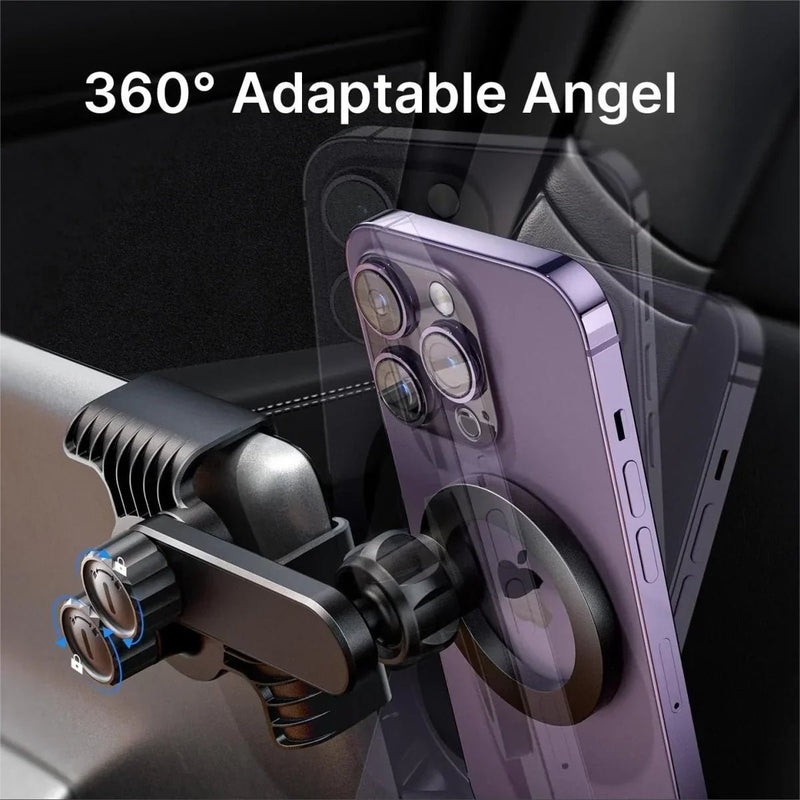
For drivers who want a low-profile mount with quick phone access, the Foldaway Phone Mount Holder With MagSafe for Tesla Model 3/Y is a practical option. It is listed for Model 3/Y from 2017–2024, as well as the 2024+ Model 3 Highland and 2025+ Model Y Juniper. Its foldaway design keeps the mount less noticeable when the phone is not in use, while the 360-degree adjustment makes it easier to set the viewing angle.
It is a good fit for iPhone users who want quick magnetic attachment without a large phone cradle. If you use a different phone or case, check whether it supports MagSafe or use the included magnetic ring.
If you want to compare more Model 3 options, see Best Phone Mounts for Tesla Model 3: Secure, Sleek, and Built for Every Drive.
Best for 2024+ Model 3 Highland
The Highland deserves separate attention because its interior is different from the earlier Model 3.
For this generation, a mount designed specifically for the Highland is a better starting point than assuming an older Model 3 mount will fit the same way.
The Magnetic Silicone Phone Holder for Tesla Model Y Juniper 2025+ / Model 3 Highland 2024+ is a strong fit for this use case because T-Launch specifically lists both the Highland and Juniper as compatible. It uses a custom-fit vent base, a ring-shaped magnet, and a 360-degree swivel design.
This makes it a good option for drivers who want a dedicated magnetic setup without adding a large dashboard structure.
For a deeper look at Highland-specific options, our Magnetic Phone Mount for Tesla Model 3/Y: A Seamless Driving Companion for 2024+ Highland/2025+ Juniper article provides more detail.
Best Magnetic Mount for Model 3
If your priority is fast phone access rather than charging, a magnetic mount is usually the simplest setup.
The main advantage is convenience: you can attach the phone when you get in and remove it when you leave without opening or adjusting a cradle. This is especially useful for drivers who use their phone for navigation but do not want to leave it mounted all the time.
See Tesla Magnetic Phone Mount: How to Choose the Best Option for Your Tesla for a closer comparison of magnetic mounting styles.
Best Foldaway Mount for Model 3
A foldaway design makes sense if you want your phone visible while driving but prefer a less noticeable setup when the phone is removed.
The Foldaway Phone Mount Holder With MagSafe is particularly relevant here because it is designed for Model 3/Y and is listed for both earlier vehicles and newer Highland/Juniper versions.
See how the foldaway design works in a Tesla Model 3/Y in the video below.
For a more detailed discussion, see Best Foldaway MagSafe Phone Mount for Tesla Model 3 and Model Y: A Cleaner Way to Keep Your Phone Visible.
Best Phone Mount for Tesla Model Y
The Model Y has a similar issue to the Model 3: model year matters.
Older Model Y vehicles and the newer Juniper should not be treated as one identical interior. The right mount depends on which version you drive and where you want the phone positioned.
Best Overall for Model Y
For drivers looking for a simple magnetic setup, the Foldaway Phone Mount Holder With MagSafe is a practical option. It is designed for Model 3/Y vehicles from 2017–2024, with fitment also listed for the 2024+ Model 3 Highland and 2025+ Model Y Juniper. Its foldaway design keeps the mount less noticeable when the phone is not in use, while the magnetic attachment makes it easy to place and remove the phone.
It is especially suitable for iPhone users who want quick access without keeping a large phone cradle in view. Check the listed fitment for your specific Model Y generation before choosing this mount.
For a broader comparison, see Best Tesla Model Y Phone Mount: How to Choose the Right One.
Best Phone Mount for Tesla Model Y Juniper
The 2025+ Model Y Juniper should be treated separately when choosing a phone mount. Its redesigned interior means that fitment matters more than simply choosing a product labeled “Model Y.” A mount designed for an earlier Model Y may not sit correctly on the newer dashboard or air vent area.
For a magnetic setup, the Magnetic Silicone Phone Holder for Tesla Model Y Juniper 2025+ / Model 3 Highland 2024+ is a practical choice. Its custom-fit vent base is designed for the Juniper, while the magnetic attachment keeps the phone easy to place and remove. The 360-degree adjustment also makes it easier to find a viewing angle that keeps the phone accessible without adding a large structure around the center screen.
If you prefer a simpler vent-mounted holder rather than a magnetic mount, the Best Air Vent Phone Holder for Tesla Model Y Juniper 2025+: A Clean, Dashboard-Friendly Mounting Solution covers that setup in more detail. The Juniper-specific air vent holder is designed to provide a secure hold while keeping the dashboard relatively uncluttered.
Best Magnetic Mount for Model Y
Magnetic mounting is a good choice if you want fast access and a clean appearance.
For an older Model Y, check the product's listed year range before ordering. For a Juniper, use a product specifically listed for the 2025+ vehicle rather than assuming an older Model Y mount will fit.
The Tesla Magnetic Phone Mount: How to Choose the Best Option for Your Tesla guide can help if you are still deciding between magnetic mounting styles.
Best Air Vent Mount for Model Y Juniper
An air vent mount can be useful if you want to keep the dashboard relatively clear.
For the 2025+ Model Y Juniper, the Liquid Silicone Air Vent Phone Holder for Tesla Model Y Juniper 2025+ is designed specifically for this vehicle. T-Launch describes it as a Juniper-specific air vent holder with a silicone construction and a direct vent mounting design.
This is a better fit for someone who prefers a vent-mounted phone over a dashboard-mounted setup.
Best Phone Mount for Tesla Model S
Model S owners have different mounting needs from Model 3 and Model Y drivers, so a Model S-specific product is worth considering.
Best Overall Tesla Model S Phone Mount
For 2021+ Model S vehicles, the Model S/X MagSafe Solar Phone Holder is a practical option for drivers who want a stable mount that keeps the phone easy to reach. Its base is designed to distribute weight across a stable support structure, while the 360-degree adjustable joint lets you position the phone for a comfortable viewing angle.
The mount is available with different attachment and charging options, so the right version depends on how you use your phone. If you mainly need a secure holder, the standard magnetic version may be enough. If you want to charge your phone while it is mounted, a charging version can combine both functions.
For a detailed comparison, see Best Tesla Model S Phone Mount: Choose the Right One for Your Drive.
Best Screen Phone Mount for Model S
A screen-mounted setup can be useful when you want the phone closer to the center of the cabin, but the main concern is avoiding unnecessary interference with the Tesla display.
Before choosing this style, check how the mount positions the phone and whether it changes access to the screen.
Our Tesla Screen Phone Mount: 3 Ways to Find the Best Fit for Your Tesla guide goes into more detail.
Best Phone Mount for Tesla Model X
The Model X also benefits from a model-specific approach. The right mount should give you a useful viewing position without making the front cabin feel crowded.
Best Overall Tesla Model X Phone Mount
For 2021+ Model X vehicles, the Model S/X MagSafe Solar Phone Holder is a practical choice for drivers who want a magnetic mount that keeps the phone close without taking up much space. Its adjustable joint lets you change the viewing angle, making it easier to position the phone without blocking the driver's view or steering wheel.
The main advantage is easy access. A magnetic connection lets you attach and remove the phone quickly, while the adjustable position gives you more control over where the phone sits. As with any Model X phone mount, check the fit for your specific vehicle year and make sure the final position does not block the center display or your view of the road.
For more options, see Best Model X Phone Mount: 5 Smart Options for Different Tesla Model X Setups.
Best Screen Phone Mount for Model X
A screen-area mount can make navigation easier to see, but placement matters. The goal should be to keep the phone accessible without creating a second visual obstruction in front of the driver.
If you are considering this style, see Tesla Screen Phone Mount: 3 Ways to Find the Best Fit for Your Tesla.
Best Phone Mount for Tesla Cybertruck
Cybertruck has its own interior design, so a generic Tesla phone mount is not always the best starting point.
Best Overall Cybertruck Phone Mount
For Cybertruck drivers who want a simple, secure phone mount that keeps the phone close at hand, the Magnetic Phone Holder for Tesla Cybertruck is a practical option. Its custom-fit base is designed specifically for the Cybertruck and creates a stable mounting structure without taking up much space. The adjustable joint also lets you change the phone's viewing angle and switch between portrait and landscape positions.
The magnetic design makes the phone easy to attach and remove without a large clamp around the device. It is a good fit for drivers who want quick access while keeping the phone position clear of the steering wheel and main sightline.
For a wider comparison of Cybertruck options, see Best Cybertruck Phone Mount: 6 Options for Different Driving Needs.
Best Magnetic Phone Mount for Cybertruck
If quick attachment and a clean phone setup are your main priorities, magnetic mounting is a straightforward choice.
Before choosing one, check where the phone will sit relative to the Cybertruck's screen and your normal driving view. The best mount is not simply the one with the strongest magnet; it also needs to place the phone somewhere useful.
Best Screen Phone Mount for Cybertruck
A screen-area mount can work well for Cybertruck drivers who want the phone close to the center of the cabin. The OEM-Height Screen Rotating Swivel Mount 3.0 for Tesla Cybertruck keeps the screen near its original factory height while allowing 40° adjustment up, down, left, and right. This makes it easier to find a comfortable viewing angle without raising the screen into an awkward position. Its aluminum alloy construction is designed to reduce wobble on uneven roads, and installation does not require drilling or permanent interior modifications.
Best Tesla Phone Mounts by Use Case
Best Tesla Phone Mount for iPhone and MagSafe
If you use an iPhone with MagSafe, a magnetic mount is usually the easiest setup. You can attach and remove the phone quickly without adjusting a clamp.
For a Tesla owner who wants a flexible option across Model 3 and Model Y applications, the Foldaway Phone Mount Holder With MagSafe is a natural fit because it combines MagSafe attachment with a foldaway design and broad Model 3/Y fitment.
For more iPhone-specific advice, see Best iPhone Holder for Tesla: How to Choose the Right Mount for Your Model.
Best Tesla Phone Mount for iPhone and Android
If more than one person uses the Tesla and they have different phones, do not choose a MagSafe-only mount just because it is convenient for one driver.
A clamp or broader magnetic system can be more flexible. This is especially useful when phone size, case thickness, or phone brand changes between drivers.
The key is to choose compatibility first and convenience second.
Best Tesla Phone Mount for Wireless Charging
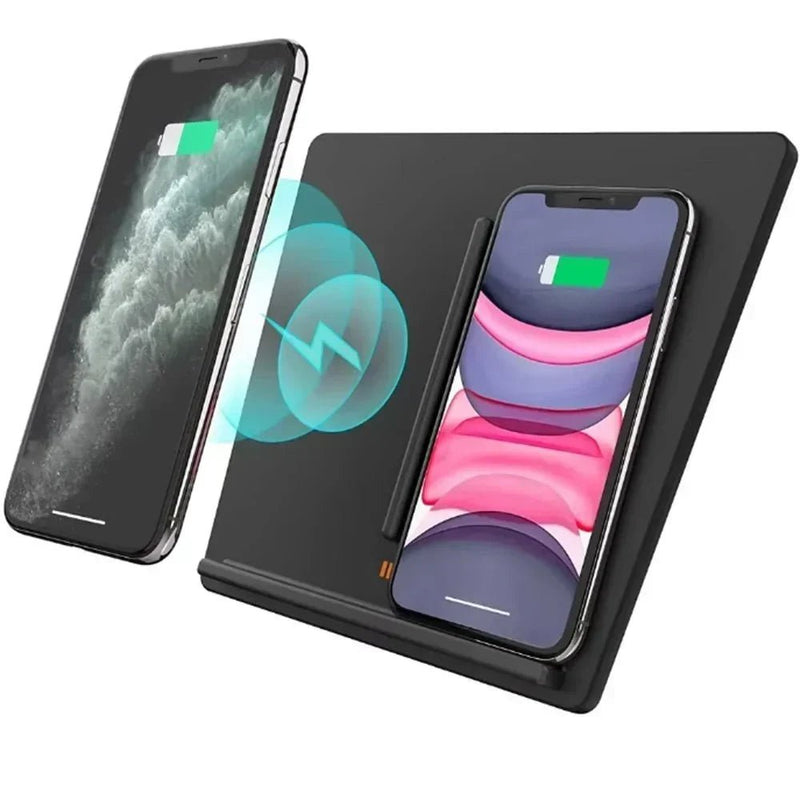
For drivers who want to charge their phone while keeping it mounted for navigation, the Fast Charging-Magnetic Suction Smart Air-Cooled Fast Charging Phone Holder is a practical choice. It combines wireless charging with an air-cooling design to help manage heat during charging, with charging output up to 15W. It is available for different Model 3/Y generations, including the 2024+ Model 3 Highland and 2025+ Model Y Juniper. Check the exact vehicle version before choosing.
Best Tesla Phone Mount for a Clean Interior
A clean setup usually means fewer large brackets, less dashboard clutter, and a mount that does not need to stay prominent when the phone is removed.
A foldaway mount is useful for this reason. It gives you a place to keep the phone while driving but can be moved out of the way when you do not need it.
The Foldaway Phone Mount Holder With MagSafe is a good example of this approach.
Best Tesla Phone Mount for Easy Phone Viewing
If navigation is your main reason for buying a mount, focus on viewing angle before extra features.
The phone should be close enough to glance at but should not force you to look too far away from the road. A dashboard or screen-area mount can make sense, depending on your Tesla generation and preferred position.
For a closer look at screen-mounted options, see Tesla Screen Phone Mount: 3 Ways to Find the Best Fit for Your Tesla.
Best Tesla Phone Mount for Easy Access
If your priority is keeping your phone close to your hands and easy to reach, a steering-wheel-area mount can be worth considering. These mounts place the phone closer to the driver's natural line of sight and can leave more space around the center touchscreen.
Steering-wheel mounts come in several designs, including magnetic charging mounts, model-specific options, and multi-function holders. See our guide to Tesla Steering Wheel Phone Holders for a closer look at the different setups.
Tesla Phone Mount vs. Tesla Phone Charger
A phone mount keeps the phone secure and accessible. A charger provides power. They can be combined, but they do not have to be.
If your Tesla already has a convenient charging pad and you mainly need a better viewing position, a mount-only solution may be enough.
If you use your phone for long navigation sessions and want it charged while mounted, a wireless charging mount can reduce the need for a separate cable.
The better choice depends on how you use your phone rather than which product has more features.
For more information, see Tesla Phone Charger: Pad, Stand, Trim, or Cable? and How to Charge Your Phone in a Tesla.
Common Tesla Phone Mount Buying Mistakes
Buying a Mount for the Wrong Tesla Generation
A Model 3 mount is not automatically a Highland mount, and an older Model Y mount is not automatically a Juniper mount.
Always check the listed vehicle year and generation before buying.
Choosing MagSafe Without Checking Phone Compatibility
MagSafe is convenient, but it is not the best fit for every phone. If you use an Android phone or share the car with someone who does, check compatibility before choosing a MagSafe-only mount.
Blocking Part of the Tesla Screen
A mount that holds your phone securely is not useful if it creates a new visibility problem.
Before choosing a mounting position, think about where the phone will sit relative to the Tesla touchscreen and your normal line of sight.
Choosing a Mount Only Because It Has a Strong Magnet
Magnet strength matters, but it is only one part of a good phone mount.
Fit, viewing angle, installation method, phone compatibility, and ease of use can matter just as much.
Ignoring Adhesive and Removal
Some mounts use adhesive while others use a vent, dashboard, screen, or other mounting point.
If you frequently change accessories or want to keep the interior close to its original condition, consider how easy the mount will be to install and remove.
Assuming One Phone Mount Fits Every Tesla
This is one of the easiest mistakes to avoid.
Start with the vehicle. Then check the generation, mounting location, phone, and charging needs. Only after those points are clear should you choose the product.
Final Thoughts
The best Tesla phone mount is not necessarily the mount with the most features. It is the one that fits your Tesla generation, works with your phone, sits in a useful position, and matches the way you drive.
Have a Model 3 Highland or Model Y Juniper? Start with a mount made specifically for the refreshed interior.
Use an iPhone with MagSafe? A magnetic mount is usually the easiest option.
Share the Tesla between different phones? Look for a mount with broader phone compatibility.
Need charging while using navigation? Consider a wireless charging mount.
Want a cleaner interior? A low-profile or foldaway design can help reduce visual clutter.
Before choosing a product, check the exact Tesla model and year first. Then decide where you want your phone, how you want to secure it, and whether you need charging. Once those choices are clear, finding the right Tesla phone mount becomes much easier.
Frequently Asked Questions About Tesla Phone Mounts
Which phone mount is best for the 2026 Tesla Model Y?
For the 2026 Model Y, first confirm which version of the vehicle you have. Newer Model Y variants can have different fitment requirements, so a mount designed for the exact vehicle is a safer choice than relying on a general "Model Y" label.
For the Juniper generation, a Juniper-specific magnetic or air vent mount can be a good starting point.
What is the best phone holder and charger for a Tesla?
A wireless charging phone mount is the most direct choice if you want the phone holder and charger in one setup. If your Tesla already has a charging pad that meets your needs, a separate phone mount may be simpler.
What is the best phone mount for Tesla Model 3?
The best option depends on the Model 3 generation and phone. Older Model 3 vehicles have different mounting options from the 2024+ Highland. For many iPhone users, a magnetic or MagSafe mount is a simple choice, while a clamp-style mount can be more flexible for different phones.
What is the best Tesla Model 3 Highland phone mount?
Choose a mount specifically listed for the 2024+ Model 3 Highland. The Magnetic Silicone Phone Holder for Tesla Model Y Juniper 2025+ / Model 3 Highland 2024+ is one suitable option because it is designed for the Highland and uses a custom-fit mounting base.
What is the best phone mount for Tesla Model Y Juniper?
A Juniper-specific mount is the best place to start. If you prefer magnetic mounting, the Magnetic Silicone Phone Holder for Tesla Model Y Juniper 2025+ / Model 3 Highland 2024+ is designed specifically for the Juniper and Highland. If you prefer a vent-mounted design, the Juniper-specific air vent holder is another option.
Do Tesla phone mounts fit all Model 3 and Model Y years?
No. Some products cover a wide range of years, but others are designed for a specific generation. Always check the product's listed fitment before purchasing.